

You opened your Google Ads dashboard and you see numbers everywhere.
Clicks. Impressions. Conversions. Cost per conversion.
If you are not sure what each of these means or why they matter, you are not alone. Most business owners who start running Google Ads focus on clicks because that is the number that goes up the fastest.
But clicks are just the beginning. Understanding the difference between Google Ads clicks leads and conversions is what separates businesses that get results from those that just spend money.
This post breaks down each one in simple terms so you know exactly what you are looking at and what to do about it.
Quick question before we start:
Which number do you check first when you open your Google Ads dashboard?
A) Clicks
B) Impressions
C) Conversions
D) Cost(Drop your answer in the comments)
Google Ads Clicks Leads and Conversions: What Is the Difference
These three words get used interchangeably all the time. But they mean very different things. And confusing them leads to bad decisions about your campaign.
Let us go through each one.
What Is a Click in Google Ads
A click happens when someone sees your Google Ad in the search results and taps or clicks on it.
That is it. Nothing more.
A click means someone was interested enough to want to know more. However, it does not mean they called you or sent a message. It simply means they visited your website or landing page.
Clicks are important because without them nothing else happens. But chasing clicks without thinking about what comes next is where most businesses go wrong.
What a high click count tells you: Your ad is relevant and visible. People are finding it and clicking on it.
What a high click count does not tell you: Whether any of those people actually contacted you or became a customer.
What Is a Lead in Google Ads
A lead is when someone who clicked your ad takes a step toward doing business with you.
For a local service business a lead looks like:
- A phone call from someone who saw your ad
- A WhatsApp message asking about your service
- An enquiry form submitted on your landing page
- A callback request filled out on your website
A lead means real interest. This person did not just look at your page and leave. They took action and reached out.
This is the number that actually matters for most local service businesses. More leads means more opportunities to close clients.
When leads are coming in, it means your landing page is working and the right people are clicking your ad. However, it does not tell you how many of those leads actually became paying clients.
What Is a Conversion in Google Ads
A conversion in Google Ads is a specific action you define as a success.
Here is where it gets slightly technical but stay with me.
You decide what counts as a conversion for your business. For most local service businesses it is one of these:
- A phone call that lasted more than 30 seconds
- A form submission on the thank you page
- A WhatsApp button click
- A specific page visit after an enquiry
When someone takes that action after clicking your ad, Google records it as a conversion. This is tracked automatically once you set up Google Ads conversion tracking on your website.
Conversions are the closest thing Google Ads has to measuring real business results. They are more reliable than just counting leads manually because everything is tracked automatically and connected back to the exact keyword and ad that brought the visitor in.
What a good conversion rate tells you: Your full system is working. The right people are clicking, your landing page is convincing them, and they are reaching out.
What to do with conversion data: Use it to cut keywords that get clicks but no conversions and put more budget behind the ones that are bringing in real leads.
How Clicks Leads and Conversions Work Together
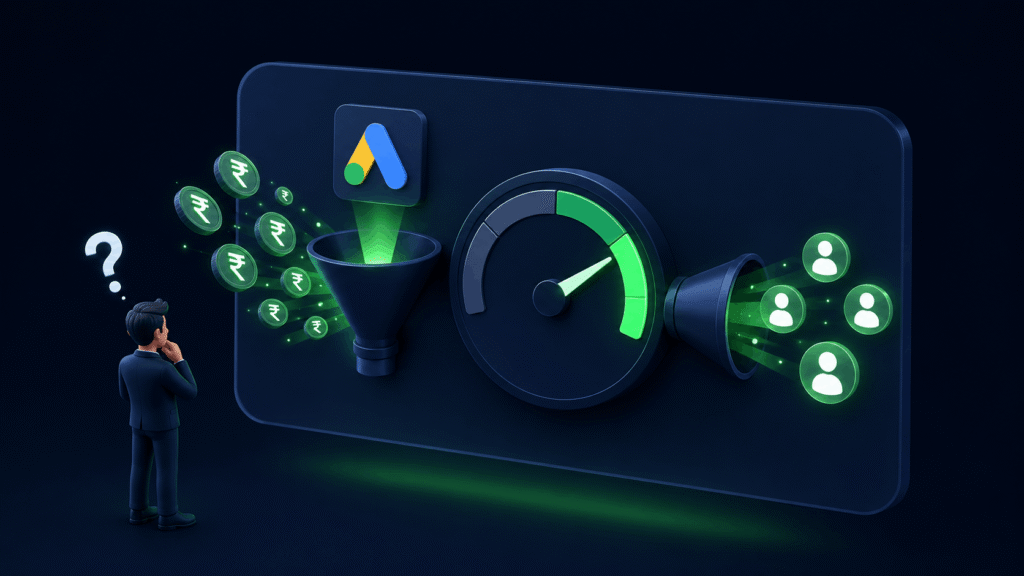
Think of it as a journey with three steps.
Step 1: Click Someone searches for your service, sees your ad, and clicks on it. You pay for this click regardless of what happens next.
Step 2: Lead They land on your page, like what they see, and reach out. This is the outcome you are working toward with every rupee you spend.
Step 3: Conversion Google records that action as a conversion and connects it back to the keyword and ad that brought them in. Now you have data you can use to improve your campaign.
Every click does not become a lead. Every lead does not become a conversion in Google Ads terms. But understanding where people are dropping off tells you exactly what to fix.
Why This Difference Matters for Your Campaign
Here is a real situation that happens to a lot of businesses.
A business owner looks at their Google Ads and sees 500 clicks last month. They feel good about that number. But when they look at their enquiries, they only got 3 calls.
Without understanding the difference between clicks leads and conversions in Google Ads, they assume the problem is the number of clicks. So they increase the budget to get more clicks.
But the real problem is the conversion rate. Something between the click and the enquiry is broken. For example, the landing page could be weak, or the wrong keywords are driving the clicks. In addition, there may be no clear call to action on the page.
More clicks on a broken system just means more wasted money.
Understanding these three numbers and how they relate to each other is what helps you diagnose the real problem and fix it.
A Simple Way to Track All Three
Here is how to keep an eye on all three numbers without getting overwhelmed:
Clicks: Visible by default in your Google Ads dashboard
Leads: Track manually by counting calls, messages, and form submissions, or set up call tracking and form tracking through Google Ads
Conversions: Set up Google Ads conversion tracking once and it tracks automatically from that point forward
Once all three are in place you have a complete picture of your campaign performance. You know how many people saw your ad, how many visited your page, how many reached out, and exactly which keywords and ads made that happen.
That is the foundation of a Google Ads campaign that improves over time.
So What Should You Focus On
If you are just starting out, focus on getting your first leads. Make sure your landing page is strong, your keywords have buying intent, and there is a clear way to contact you on the page.
Once leads are coming in, set up conversion tracking so you can see exactly which parts of your campaign are driving those leads.
Then use that data to cut what is not working and scale what is.
Clicks are the start. Leads are the goal. Conversions are the data that helps you get there faster.
If you want help setting up conversion tracking or understanding what your current campaign numbers are telling you, we offer a free audit with no strings attached.
Related Posts
- Google Ads Gets You Clients Who Are Ready to Buy
- Google Ads Conversion Tracking
- Google Ads Budget That Actually Makes Sense
Frequently Asked Questions (FAQs)
A click means someone visited your website after seeing your ad. A conversion means they took a specific action you defined as valuable, like calling you or filling out a form.
Not exactly. A lead is anyone who reaches out to your business. A conversion is a tracked action recorded by Google Ads. When set up correctly, every lead should be recorded as a conversion so you can connect it back to the keyword and ad that brought them in.
For local service businesses in India a conversion rate between 3 to 8 percent is generally considered healthy. This means 3 to 8 out of every 100 clicks result in an enquiry.
The most common reasons are wrong keywords, a landing page that does not match the ad, no clear call to action, or ads running at the wrong times. Check our post on Google Ads landing page mistakes for a full breakdown.
You do not need it to run ads but you absolutely need it to run ads effectively. Without conversion tracking you cannot see which clicks are turning into real leads and you end up making decisions based on incomplete information.

Great content! Keep up the good work!